|
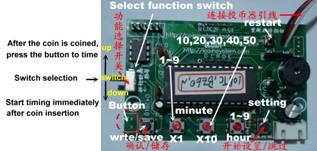
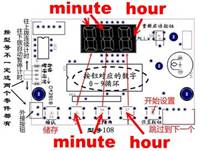
108 Button, switch, position and description |
|
|
|
|
|
108 Setup
steps (Can be set without timing) |
|
|
◎Press
"Set button" to start setting, press to save, no longer modify
other, you can directly press the restart button ◎When the test timing (clearing is being counted), if the time is to be cleared, long press the query button (button 2), there will be a “di di ..” sound and then release the button, it will be cleared. |
|
|
Button usage Settings button:Skip to the next step (not stored), button 1.2.3.: 3
digits for the corresponding display Save button:Save the modified parameters after pressing |
|
|
◎Set the starting price, the stack price
will be modified along with the starting price. If the stack price is
different from the starting price, the stack price must be set/modified
separately. |
|
|
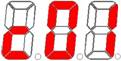
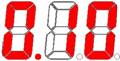
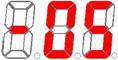
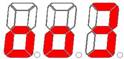
◎Press the button 1, 2, 3, do not put or
press the button, the number will cycle,0-9-0, or,0-5-0 |
|
|
Start price setting |
|
|
|
The number of coins at the starting price Range 1 to 99 |
|
|
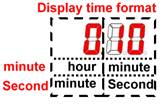
Time (minutes, seconds, two) Minutes (1 minute to 9 hours 59 minutes) Seconds (1 second to 9 minutes 59 seconds) |
|
|
Automatic power off time, default 5 minutes 1 to 59 minutes (0 = no check) Suspend (idle) how long it takes to automatically power
off and clear |
|
Overlay price setting |
|
|
|
The number of coins Range 1 to 99 |
|
|
Time (minutes, seconds, two) Minutes (1 minute to 9 hours 59 minutes) Seconds (1 second to 9 minutes 59 seconds) |
|
|
Prompt
sound (di di ..) 0~9,0= No sound |
|
108_TH/108_THs,Output toggle on/off each time the button is pressed (Switch function)Dial down:
Timing immediately after coin insertion Dial up: After pressing the coin, you need to press the
button to time |
|
108_MC,MCs:Automatic
intelligent sensing It is
useful electricity, only to start timing, no electricity, intelligent
automatic temporary stop timing (Switch function)Dial
up: timing immediately after
coin insertion Dial
down: After the coin is used, the
electricity is counted. |