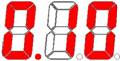
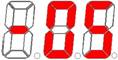
|
114E_MC/115E_MC/115D_MC
Button, switch, position and description |
|||
|
|
|||
  |
|||
|
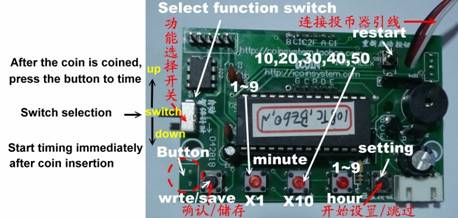
select function switch: Sliding down Select “Automatic pause countdown”, the appliance will automatically suspend the countdown when the current is lower than 20W. If the timer shows the remaining time, the pause countdown will be more than a few minutes, the controller will automatically shut down and restart. |
|||
|
select function switch: Sliding up Select “Continuous Countdown”, the countdown will not be paused, and the controller will automatically shut down and restart until the countdown is completed. |
|||
|
Setup
steps
(Can be set without timing) |
|||
|
◎Press
"Set button" to start setting, press to save, no longer modify
other, you can directly press the restart button ◎When the test timing (clearing is being counted), if the time is to be cleared, long press the query button (button 2), there will be a “di di ..” sound and then release the button, it will be cleared. |
|||
|
Button usage
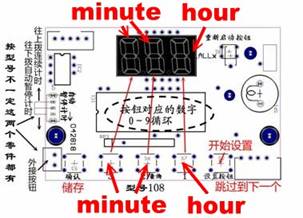
Settings button:Skip to the next step (not stored), button 1.2.3.: 3
digits for the corresponding display
Save button:Save the modified parameters after pressing |
|||
|
◎Set the starting price, the stack price
will be modified along with the starting price. If the stack price is
different from the starting price, the stack price must be set/modified
separately. |
|||
|
◎Press the button 1, 2, 3, do not put or
press the button, the number will cycle,0-9-0, or,0-5-0 |
|||
|
Start price setting |
|||
114E_MC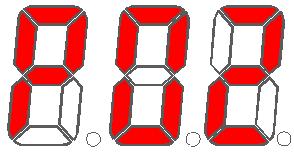 |
Set the base value of the coin(Smallest
coindenomination)for
114/115E_MC Button 2, select 0~9 Button 3, select 0~9 ($1~99) This sets the minimum acceptable coin value. |
||
|
115D_MC |
Set the base value of the coin(Smallest
coindenomination)for
115D_MC Button 1, select 1~9 ($1~9) This sets the minimum acceptable coin value. |
||
|
|
Button 2, select 0~9
for 115D_MC($0.01~0.99) Button 3, select 0~9 Automatic switching between the two This sets the minimum acceptable coin value. |
||
|
|
Starting price Button 1cycles increase,Up to $250 Button 2Cycle reduction,At least $1 According to the number of pulses above, it is necessary to insert 5 coins here. |
||
|
|
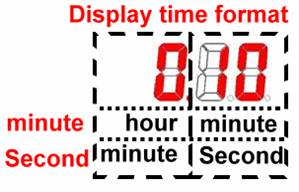
Minutes (1 minute to 9 hours 59 minutes) Button 1 sets hours 1–9 hours Buttons 2 and 3 set minutes 1–59 minutes |
||
|
|
Automatic power off time, default 5 minutes 1 to 59 minutes (0 = no check) Suspend (idle) how long it takes to automatically power off and clear |
||
|
Overlay price setting |
|||
|
|
Button 1 cycles increase,Up to $250 Button 2 Cycle reduction,At least 1 yuan According to the number of pulses above, it is necessary to insert 5 coins here. |
||
|
|
Minutes (1 minute to 9 hours 59 minutes) Button 1 sets hours 1–9 hours Buttons 2 and 3 set minutes 1–59 minutes |
||
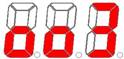 |
Prompt sound (di di ..) 0~9,0= No sound |
||
|
Restore factory
settings Use when the equipment is unavailable or cannot be set. |
|||
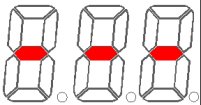 |
Press and hold the search button for about 3
seconds, it will display as shown on the left and flash. Then release the
button. Press (the setup button) to restore factory settings |
||
|
Then display the date in turn, and press restart to continue. |
|||
year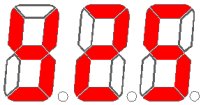 month
month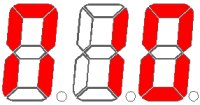 days
days
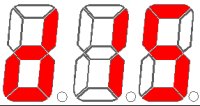 |
|||
|
114E_MC/115D_MCAutomatic intelligent sensing It is useful electricity, only to start timing, no electricity, intelligent automatic temporary stop timing (Switch function)Dial down: timing immediately after coin insertion Dial up: After the coin is used, the electricity is counted. |
|||
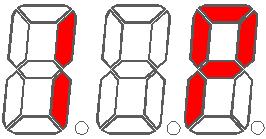
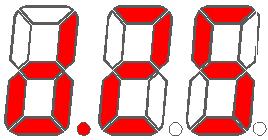
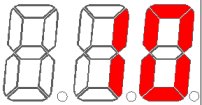 114E_MC
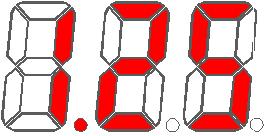 115D_MC